Are you ready for a new era of computing? Windows 11 promises a calm and creative space where you can pursue your passions - but what does that mean for your organization?
Thank you for attending our recent presentation on Windows 11 at edgemocca 2021. I hope you found the session insightful and engaging. As promised, here is the follow-up blog post to help you dive deeper into the key takeaways and prepare for the exciting transition ahead.
Windows 11 - a new era of computing
Windows 11 is designed to provide a calm and creative space where you can pursue your passions through a fresh experience. From a rejuvenated Start menu to new ways to connect to your favorite people, news, games, and content - Windows 11 is the place to think, express, and create in a natural way.
Microsoft has put significant effort into modernizing the user experience while maintaining the productivity features we rely on daily. Let me walk you through the key features and enhancements.
Key features and enhancements
Windows 11 introduces a range of features designed to boost productivity, simplify multitasking, and create a more modern computing experience. Here are the highlights that I believe will have the biggest impact on how you work.
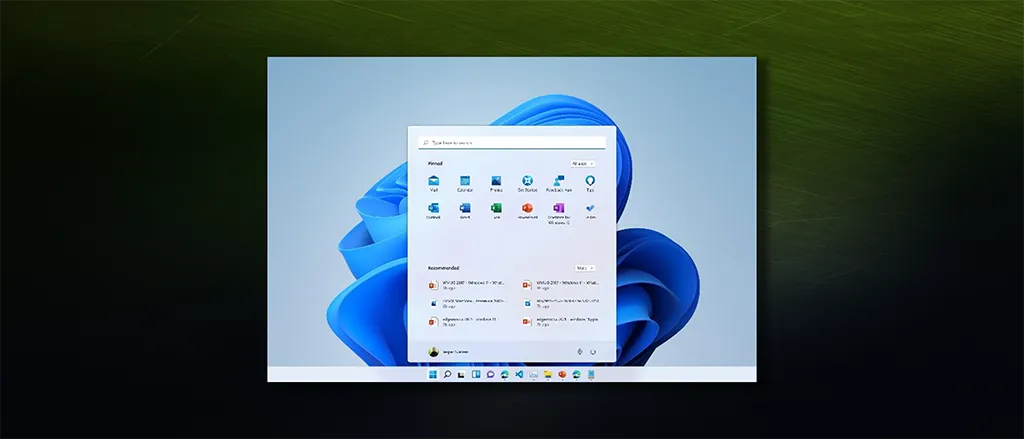
Windows 11 centered Start Menu with a clean layout.
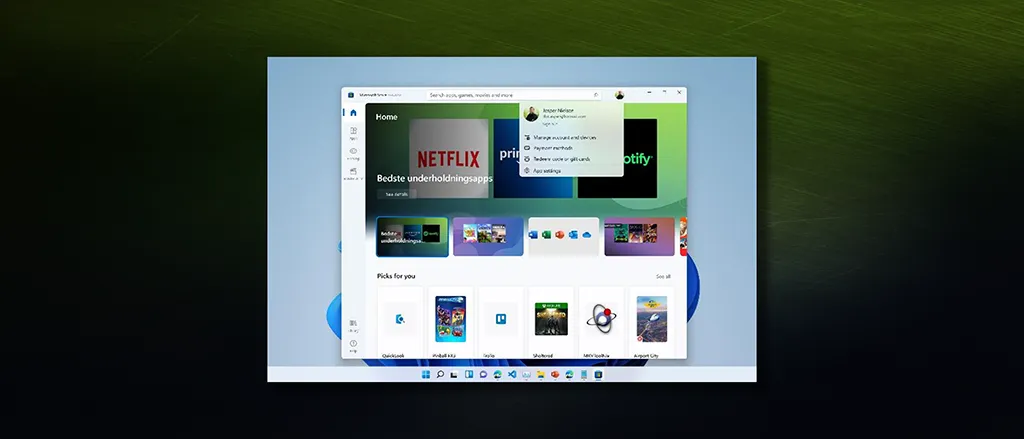
Microsoft Store with a redesigned interface for easier app discovery.
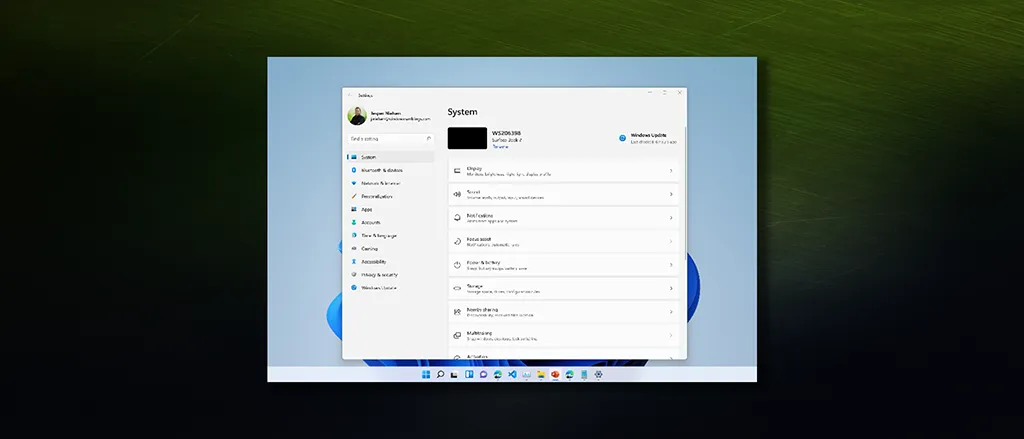
Windows Settings app with a streamlined and user-friendly design.
Start menu and Taskbar
The Start menu has moved to the center of the Taskbar, offering a clean and organized layout. This change aims to enhance productivity and provide a more intuitive user experience.
The centered design places your content front and center, with pinned apps at the top and recommended files below. Cloud-powered search helps you find what you need quickly, whether it is on your device or in the cloud.
Tip
If you prefer the traditional left-aligned Start menu, Windows 11 allows you to change the Taskbar alignment in Settings under Personalization > Taskbar > Taskbar behaviors.Snap Layouts and Snap Groups
One of the standout features of Windows 11 is the new Snap Layouts and Snap Groups. These features allow you to organize your open windows and optimize your screen space efficiently.
Simply hover over the maximize button on any window, and you will see a selection of layout options. Choose the one that fits your workflow, and Windows will help you snap your windows into place. When you return to that set of apps, Snap Groups remembers your layout - hover over the Taskbar icon to restore the entire group.
This is a game-changer for multitasking. No more manually resizing and positioning windows - Windows 11 handles it for you.
Microsoft Store
The Microsoft Store has been rebuilt with an all-new design, making it easier to search and discover your favorite apps, games, shows, and movies in one trusted location.
Even more exciting - Windows 11 will soon bring Android apps to the Microsoft Store through collaboration with Amazon and Intel. This opens up a whole new world of mobile apps on your desktop, from social media to games to productivity tools.
Settings app
The Settings app has been redesigned to provide a more streamlined and user-friendly experience. Navigation is clearer, with a persistent left-hand menu that makes it easy to find what you need.
Microsoft continues to migrate settings from the legacy Control Panel into the modern Settings app, creating a more consistent experience across the operating system.
Technical requirements
Windows 11 introduces new minimum system requirements that reflect its focus on security and modern hardware. These requirements have generated significant discussion, and it is important to understand them as you plan your deployment.
Minimum system requirements
| Component | Requirement |
|---|---|
| Processor | 1 GHz or faster with 2 or more cores on a compatible 64-bit processor or System on a Chip (SoC) |
| RAM | 4 GB minimum (8 GB recommended) |
| Storage | 64 GB or larger (128 GB recommended) |
| System firmware | UEFI, Secure Boot capable |
| TPM | Trusted Platform Module version 2.0 |
| Graphics | DirectX 12 compatible with WDDM 2.0 driver |
| Display | High definition (720p), 9" or greater, 8 bits per color channel |
Understanding the processor requirement
The processor requirements for Windows 11 are stricter than previous Windows versions. Microsoft has published a list of compatible processors that support the security and reliability features Windows 11 depends on.
To check your processor generation, you can use PowerShell:
# Description: Retrieves processor information including generation details
# Elevation is not required - WMI query does not require elevated privileges

Get-WmiObject Win32_Processor | Select-Object Name, Caption, NumberOfCores
Check processor generation
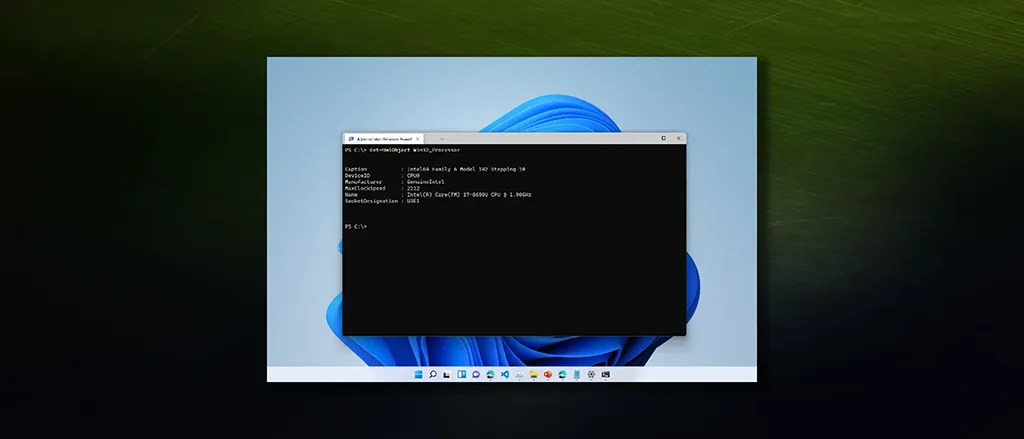
Processor details retrieved using PowerShell.
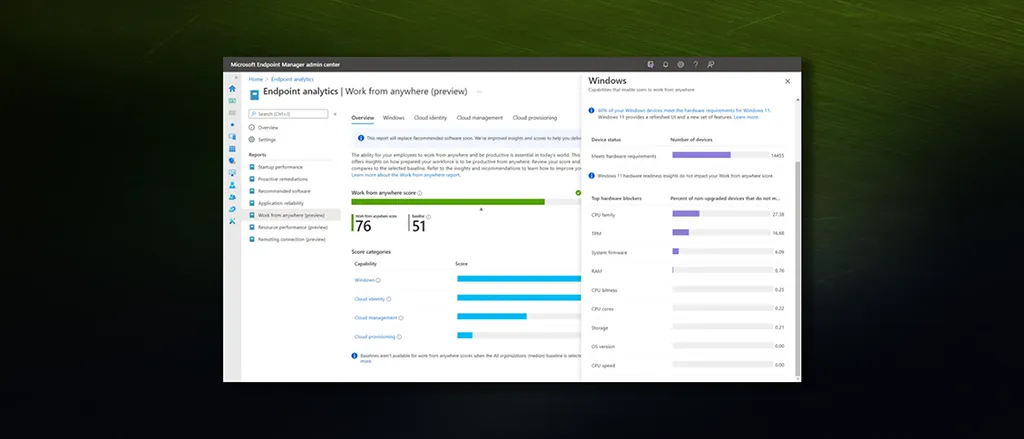
Microsoft Intune Endpoint Analytics
Work from Anywhere Preview Dashboard.
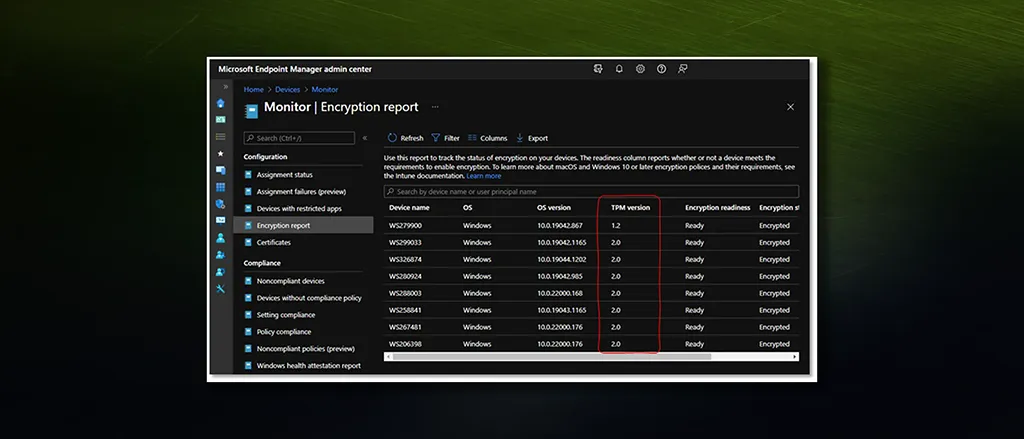
Microsoft Intune Monitoring
Encryption report showing TPM versions.
TPM 2.0 requirement
The TPM 2.0 requirement is perhaps the most discussed aspect of Windows 11’s system requirements. TPM (Trusted Platform Module) is a hardware-based security chip that provides:
- Hardware-based encryption key storage
- Secure boot attestation
- Platform integrity verification
- Credential protection
Windows 11 uses TPM 2.0 to enable features such as BitLocker device encryption, Windows Hello, and Measured Boot. While this requirement excludes some older hardware, it establishes a strong security foundation for all Windows 11 devices.
Note
Many devices have TPM capabilities that are disabled in firmware by default. Check your BIOS/UEFI settings - you may find TPM 2.0 support that simply needs to be enabled.Internet Explorer 11 retirement
The Internet Explorer 11 desktop application will be retired and go out of support on June 15, 2022. Internet Explorer is removed from Windows 11.
Organizations still dependent on Internet Explorer should plan their migration to Microsoft Edge with IE Mode. IE Mode allows Microsoft Edge to render legacy websites using the Internet Explorer engine, providing a bridge for applications that require Internet Explorer compatibility.
Preparing for Windows 11
To ensure a smooth transition to Windows 11, here are practical steps you can take starting today.
Check system requirements
Begin by assessing your device fleet against the Windows 11 requirements. Microsoft provides the PC Health Check tool for individual device assessment. For enterprise environments, Microsoft Endpoint Manager can help you understand readiness across your organization.
Key areas to validate:
- Processor compatibility against the approved CPU list
- TPM 2.0 presence and enablement
- UEFI firmware with Secure Boot capability
- Sufficient storage for the upgrade
Prepare your users
The new interface will be unfamiliar to users accustomed to Windows 10. Invest in change management to ensure a smooth transition:
- Create a communications schedule - Inform users about what is coming and when
- Draft concise emails - Explain the key changes and benefits
- Update help desk documentation - Include screenshots of the new user interface
- Identify champions - Find enthusiastic users who can help others adapt
Assess device readiness
Begin monitoring device readiness across your organization:
- Identify devices that meet all requirements
- Flag devices that need firmware updates or configuration changes
- Plan hardware refresh for devices that cannot be upgraded
- Consider pilot groups to test the upgrade process
Explore new deployment options
Windows 11 offers new deployment options that can streamline your rollout:
- Windows Update for Business - Managed feature updates through policy
- Windows Autopilot - Zero-touch provisioning for new devices
- Package manager - Command-line installation with winget
These tools give you flexibility in how you deploy Windows 11 across your organization.
Conclusion
Windows 11 represents a significant evolution in how we work and interact with our devices. The new features - from Snap Layouts to the redesigned Microsoft Store - promise to enhance productivity and creativity. The stricter hardware requirements, while challenging for some organizations, establish a security foundation that will benefit us all.
By preparing your systems and users now, you can leverage these new features and enhancements to boost productivity within your organization. Start assessing your readiness today, and do not hesitate to reach out if you have questions.
Thank you for being part of the edgemocca 2021 community. I look forward to hearing about your Windows 11 journey.
What are your thoughts on Windows 11? Are you excited about the new features, or do the system requirements present challenges for your organization? I would love to hear from you.
–Jesper